Booking pages for sales, agencies and service teams
Meeting scheduler for teams that book clients
One booking link for your whole team. Every client lands on the right person, in a free slot, with the Zoom link already attached.
Your booking page
min, min buffer ·
Open slots per day
slots a week
bookable hours
integrations
What connects to CalendarMeeting
| Integration | What it does | Plans |
|---|---|---|
| Google Calendar | Reads busy time and writes every confirmed meeting back to the calendar. | All plans |
| Outlook | Reads busy time and writes every confirmed meeting back to the calendar. | All plans |
| Zoom | Adds a fresh meeting link to each booking. | All plans |
| Google Meet | Adds a Meet link to the calendar event. | All plans |
| Phone | Shows the number to call in the confirmation. | All plans |
workflow
Scheduling meetings in four steps
01
Connect
Link Google Calendar or Outlook so busy time is respected.
02
Set availability
Choose hours, buffers, meeting length and where you meet.
03
Share the link
Send one URL, add it to your site or put it in an email signature.
04
Meet
Clients book, both sides get the invite and reminders go out on their own.
1 link
for a whole team, routed to the right host
2 calendars
Google Calendar and Outlook read for conflicts
3 ways to meet
Zoom, Google Meet or phone, added automatically
24 hours
a day clients can book without a single email
Booking pages
A page clients can book in one minute
Share one link in email, on your site or in a proposal. Clients see only the slots that are really free, pick a time and get a confirmation with the calendar invite attached.
- Buffers and daily limits keep days realistic
- Questions on the booking form qualify the lead
- Clients reschedule or cancel from the confirmation email
Booking page
Intro call, 30 min
Team routing
Every lead lands on the right person
Rotate meetings fairly with round robin, show shared availability for a panel, or ask two questions first and route by the answers.
- Round robin and collective availability
- Routing forms that pick the host
- Fallback host when nobody is free
Routing form
How large is your team
Calendar sync
Your calendars stay the single source of truth
Connect Google Calendar or Outlook. Busy time blocks bookings and every confirmed meeting is written back with its Zoom or Meet link.
- Two way sync, no double booking
- Zoom and Google Meet links added to each event
- Several calendars checked at once
Connected calendars
Workload view
See how your week fills up
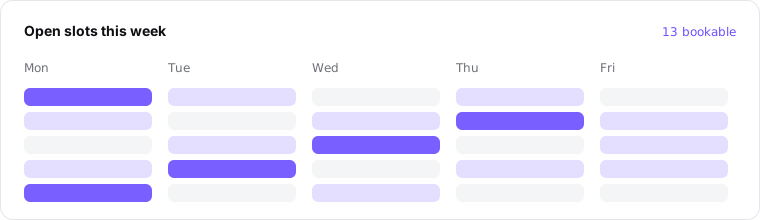
Open slots, booked meetings and no shows in one view, so you can move availability to the days that convert.
- Reminders that cut no shows
- Follow ups sent after every meeting
- Audit log of changes on the Pro plan
Open slots this week
For sales and ops leaders
One workspace price instead of a licence per person
Fewer emails going back and forth, fewer missed meetings and a faster first contact with every lead. You decide who takes which clients and when, in one place.
Security and admin controlsCompare the yearly cost
Per seat licences
a year
CalendarMeeting yearly plan
Calendar scheduling tool pricing
Pick a plan for your workspace. Yearly billing takes 50 percent off.
Starter
For up to 3 hosts
$24.50per month, billed yearly
$49 per month when billed monthly
- Unlimited booking pages
- Google Calendar and Outlook sync
- Zoom and Meet links added automatically
- Reminders and follow ups
- Reschedule and cancel by link
Plus
Most teamsFor up to 15 hosts
$74.50per month, billed yearly
$149 per month when billed monthly
- Everything in Starter
- Round robin and collective availability
- Routing forms
- Buffers and daily limits
- Custom branding
Pro
For up to 50 hosts
$249.50per month, billed yearly
$499 per month when billed monthly
- Everything in Plus
- Advanced routing rules
- Webhooks
- Audit log
- Priority email support
Enterprise
SSO, custom roles, SLA and invoicing for larger organisations, for 51 or more hosts.
$499.50per month, billed yearly
Every plan is a subscription for your workspace. Prices in US dollars.
Questions about scheduling meetings
Give every client one link to book
Set up your booking page, connect your calendar and let clients pick a time that is actually free.